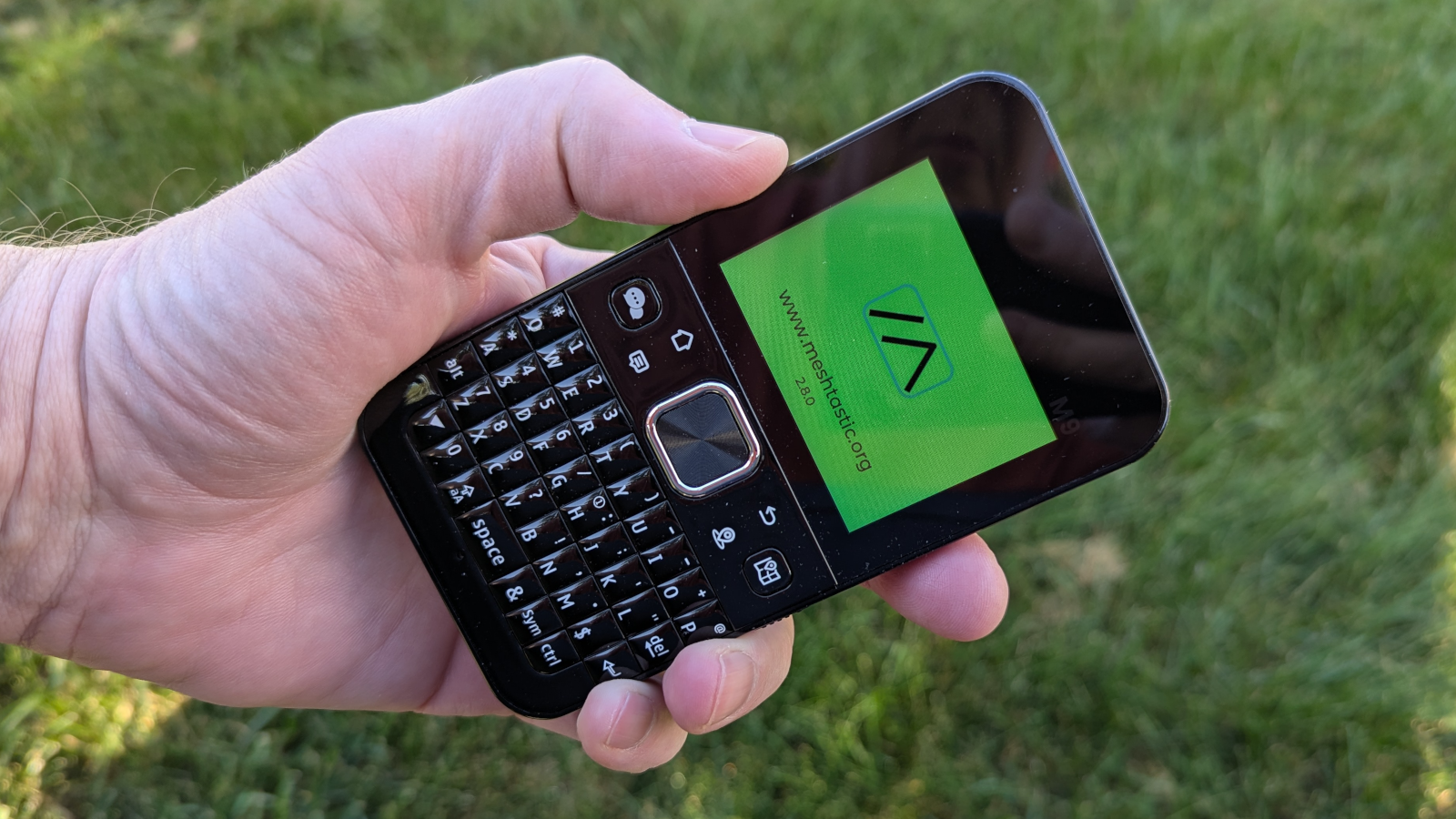
For some time now I’ve been nursing a growing interest in Meshtastic’s off-grid communication. I’m a bit late to this particular party, but for anyone who is a bit like me, here’s what it was like to get started with some off-the-shelf offerings. I was offered an early look at Elecrow’s ThinkNode M9 all-on-one LoRa messenger.
It turns out it’s pretty easy! Not painless, but going from unboxing to first messages exchanged is perfectly accessible to someone with basic knowledge and some patience, but no prior experience.
The M9 and M5 Radios, With Meshtastic Firmware
When it comes to this kind of hardware there are two basic types: all-in-one units with their own keyboards and screens, and units without. The latter type expects pairing with a mobile phone app. I used one of each.
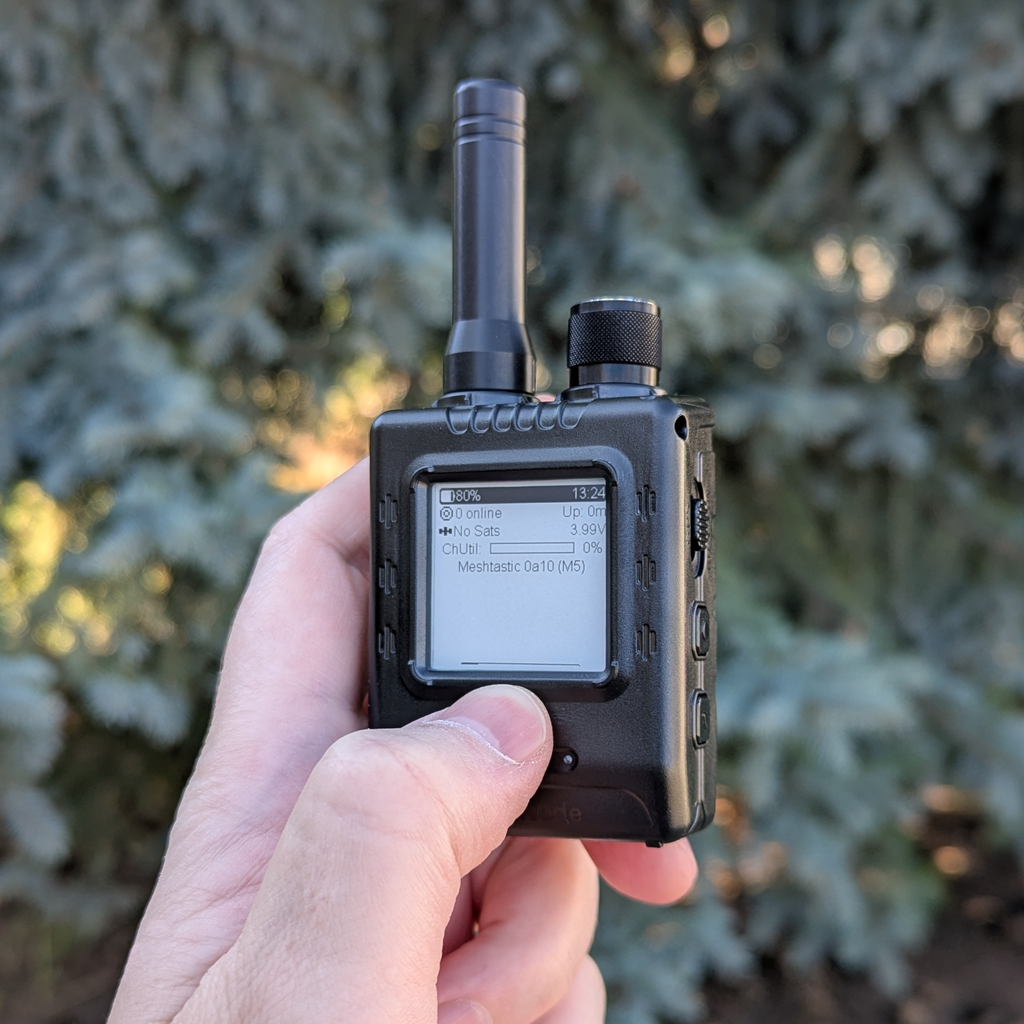
The ThinkNode M9 is an all-in-one device vaguely reminiscent of a Blackberry. The ThinkNode M5 is more like a squat handheld radio.
Both are self-contained LoRa radios, but since the M5 lacks a keyboard, the messaging part is best done via a paired mobile phone.
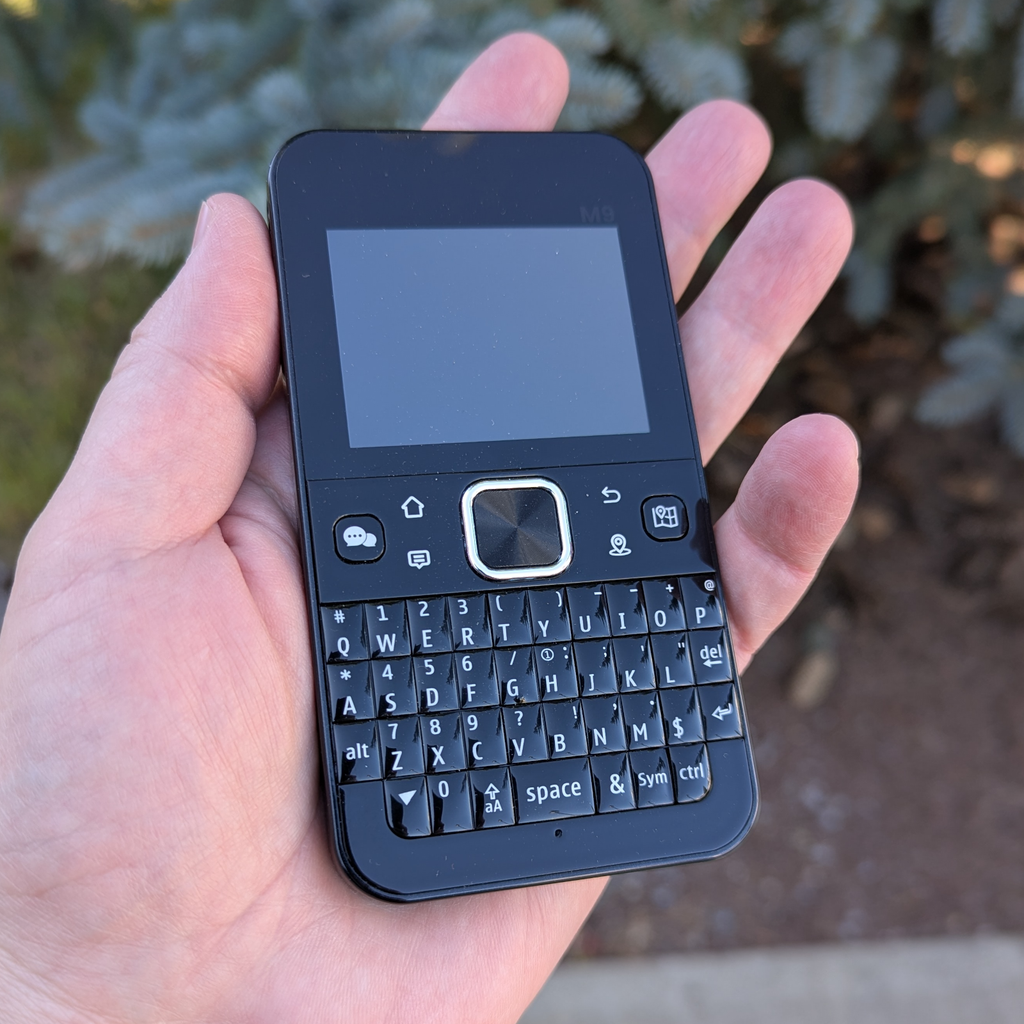
The M9 has a built-in antenna, GPS and magnetic compass, and a rechargeable battery that I found would comfortably last all day and then some.
The screen is just big enough for comfort, and the keyboard is small but serviceable. Menu navigation is done with a 4-way clickable ring and central button, located just above the keyboard alongside a few shortcut buttons.
The M9 is perfectly pocketable and only 125 grams. The screen and keyboard are inferior to any modern mobile phone, but with an all-in-one there is no need to carry two devices, like one must do with the M5.
A device like the ThinkNode M5, while it functions as a Meshtastic client perfectly well on its own, is usually paired to a mobile phone via the official Meshtastic app. The M5 has a small screen and two buttons with which to ponderously navigate basic on-device functions. It has no keyboard, which means messaging and configuration tasks are really best done on a paired mobile phone. This means that using the M5 for Meshtastic messaging requires one to carry both devices.
It is also possible to pair a phone to the M9. Doing so has the advantage of making some configuration tasks easier because the app is much more mature than the M9’s firmware, but more on that in a moment.
From Open Box to First Messages
It was remarkably simple to get first messages exchanged between my units. After bootup with the Meshtastic firmware, the only thing I truly needed to do was set the region.
Meshtastic is designed so clients act as an ad-hoc, decentralized peer-to-peer mesh network. With the firmware installed and the unit powered up, I selected my region (the US region applies to all of North America, other names are less straightforward) which defines the underlying radio behavior. Units must be set to the same region in order to communicate with one another. That plus the default settings are really about all that’s needed for a basic Hello World.
It’s possible to send a direct message to another device (just select it from the list of “seen” nodes, then type a message). There is also a default group channel named LongFast — so named for the default radio preset of Long Fast. Radios that do not share the same preset cannot communicate.
To set up a private group channel, create it by giving it a name and generating a 32-byte AES-256 pre-shared encryption key (PSK). All one needs to access a private channel is the name, and the PSK. URLs and QR codes are the most common way to share these with others, and that is something the mobile phone app makes very convenient. No one wants to type that in by hand if they don’t have to.
The M9’s UI Is a Bit Rough
While the M9 is in theory a completely standalone device, I did find it necessary to pair it with the mobile phone app in order to perform certain tasks, like setting up a private channel. This was needed because the UI and interface on the M9 with the Meshtastic firmware, at least at the time I was using it, could be clunky and bewildering at times. The documentation is helpful (it spells out how to reboot into Bluetooth pairing mode, for example) but it also doesn’t cover everything. The mobile app is far more mature.
Once things are set up, basic use of the M9 is very straightforward. But until one gets to that point, I recommend the following:
- If the cursor isn’t going where you expect, try pressing a different direction on the directional pad (like Left and Right to go up and down in a selection box.)
- Keep a close eye out for SAVE buttons on menus that are not visible until one scrolls further down.
- When in doubt, reboot the device to ensure new settings actually take effect.
Range and Performance
LoRa is capable of long range, but being radios, the answer to how far they can reach is “it depends”. Besides interference, radio signals get attenuated or blocked by things like buildings, geographical features, and greenery.
Still, even my own meagre two-node network had okay results. With one node sitting at my front door, I got about 250-300 m of range in an urban residential area with no direct line of sight before messages didn’t get through.
As a test, I switched my radios to a different preset of Long Moderate which got me out to 500 m. The cost is a narrower bandwidth and much slower data rate (meaning transmission times are longer). And of course, it is a departure from the Meshtastic community default of Long Fast.
Radios not on the same preset cannot see or communicate with one another, so by doing that I am on my own. That being said, depending on one’s needs presets might be worth experimenting with. It easily got me an extra 200 m.
If you’re changing presets and having trouble, double-check that the settings on both radios actually match. I had the experience of the same preset on my two different devices being dissimilar. I had to manually adjust one’s transmission frequency to match the other before it worked.
What Happens to Messages That Don’t Get Through?
The sending node will attempt retries, but retries are not queued indefinitely. If the recipient is out of range or otherwise not reachable, the message is ultimately lost. It shows as undelivered, however. Messages are not silently discarded.
How Can Range be Extended?
Results would be better if I had one or both radios high up instead of at ground level, or if there was another node in between to relay messages.
I haven’t detected another Meshtastic node in my neck of the woods yet, but since Meshtastic is an ad-hoc peer-to-peer mesh, all one needs to do is power up a configured radio in the vicinity of others (and possibly tie it to the tip of a very, very tall stick.)
In Short It’s Pretty Easy To Get Started
It’s getting easier to get up and running all the time, and with the right hardware we’re at the point that a technically-savvy hacker can be exchanging messages with economical hardware in an afternoon.
The all-in-one ThinkNode M9 started shipping in late September 2026 for roughly 75 USD (the ThinkNode M5 is available for even less) and they come with either Meshtastic or Meshcore firmware pre-installed.
One certainly benefits from diving in with an exploratory mindset and a willingness to make a few mistakes and look up documentation, but all of the pieces are there to get Meshtastic up and running very easily.